
Design systems
Scalable design with design systems
Scalable design with design systems
A design system is the shared set of building blocks behind your product: colors, typography, buttons, forms and the rules for combining them, captured in both the design and the code. With a design system, you build new screens from parts that already exist and already fit your brand.
Without one, every feature starts partly from scratch. Your team spends time on every change checking whether everything is still consistent, and new differences keep slipping in anyway: a slightly different gray here, a button that's a few pixels off there. The bigger your product gets, the more time that takes. You'll see it in your planning and in your budget.
The problems creep in slowly. First it's one button that looks off, a year later every small visual change is a project. If any of this sounds familiar, it's time to look at the foundation of your product.
Seven versions of the same button, old and new branding mixed together, and an app that doesn't quite match the design. Users notice: a messy interface feels less trustworthy.
Without a UI designer, a new page doesn't match the rest. With a design system, a developer, a UX designer or you yourself can put together a page from existing building blocks, and it fits your brand straight away.
A new brand color means tracking down hundreds of places in the code, and every feature raises the odds that something breaks. With a design system, you change one value and the whole product follows.
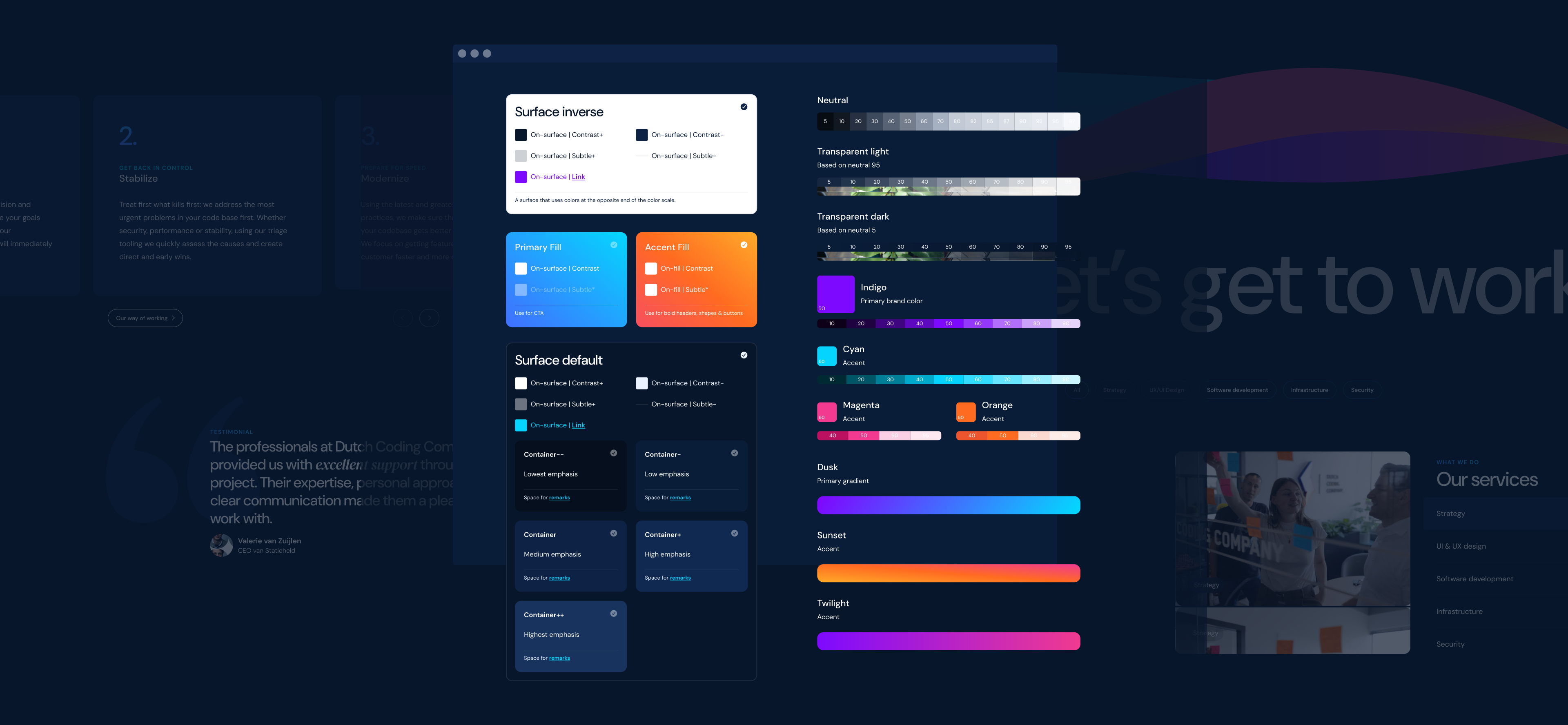
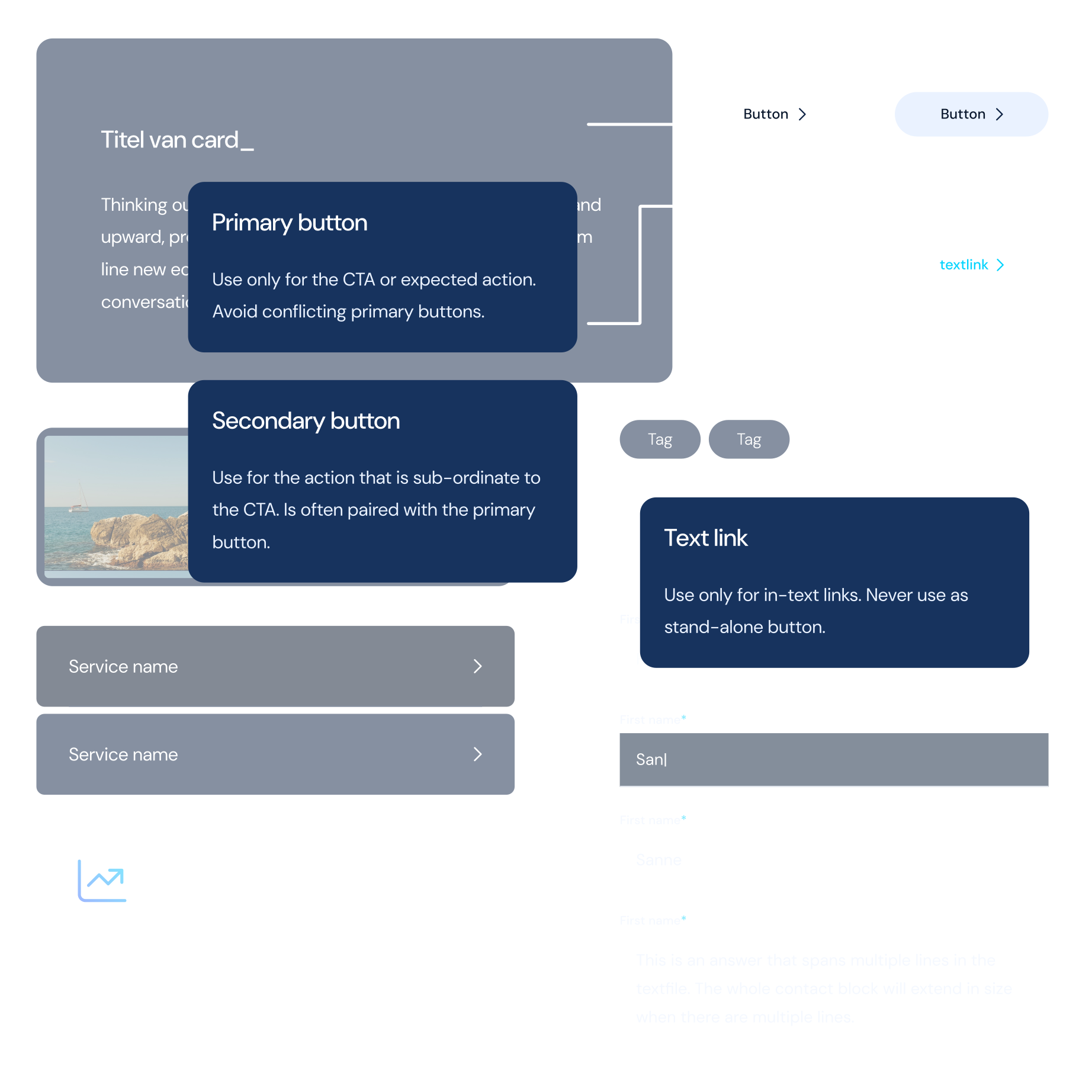
A design system is a library of reusable components with clear rules for using them, shared by design and code. Think of it as a box of LEGO: you build something new every time, but always with the same bricks.
Dutch Coding Company links the design in Figma directly to the code through design tokens: named values for color, typography and spacing. Change a token in the design, and the change carries straight through to the app or website. We design and build in components, from a single button to a complete form, so a new page is mostly a new combination of what's already there.
Our foundation is Material Design 3, Google's design system, which we adapt to your brand. We keep documentation lean: consistent naming makes the system easy to understand, so we don't write manuals nobody reads. That keeps us fast and flexible. If you later want to take over development with your own team, we add a round of documentation as part of the handover. Whenever we do UI & UX design for you, we set up a design system for it by default.
A design system makes AI agents more reliable, because the agent picks from a fixed set of building blocks instead of making things up. Without a design system, an AI agent picks a slightly different color, margin or button style for every new screen. It works, but your product gets messier with every feature, and faster than ever.
With a design system, the agent uses the components and design tokens that already exist, and the result fits your brand right away. At Dutch Coding Company, an engineer always reviews what an AI agent builds. That review goes faster too, because anything that breaks from the system stands out immediately.
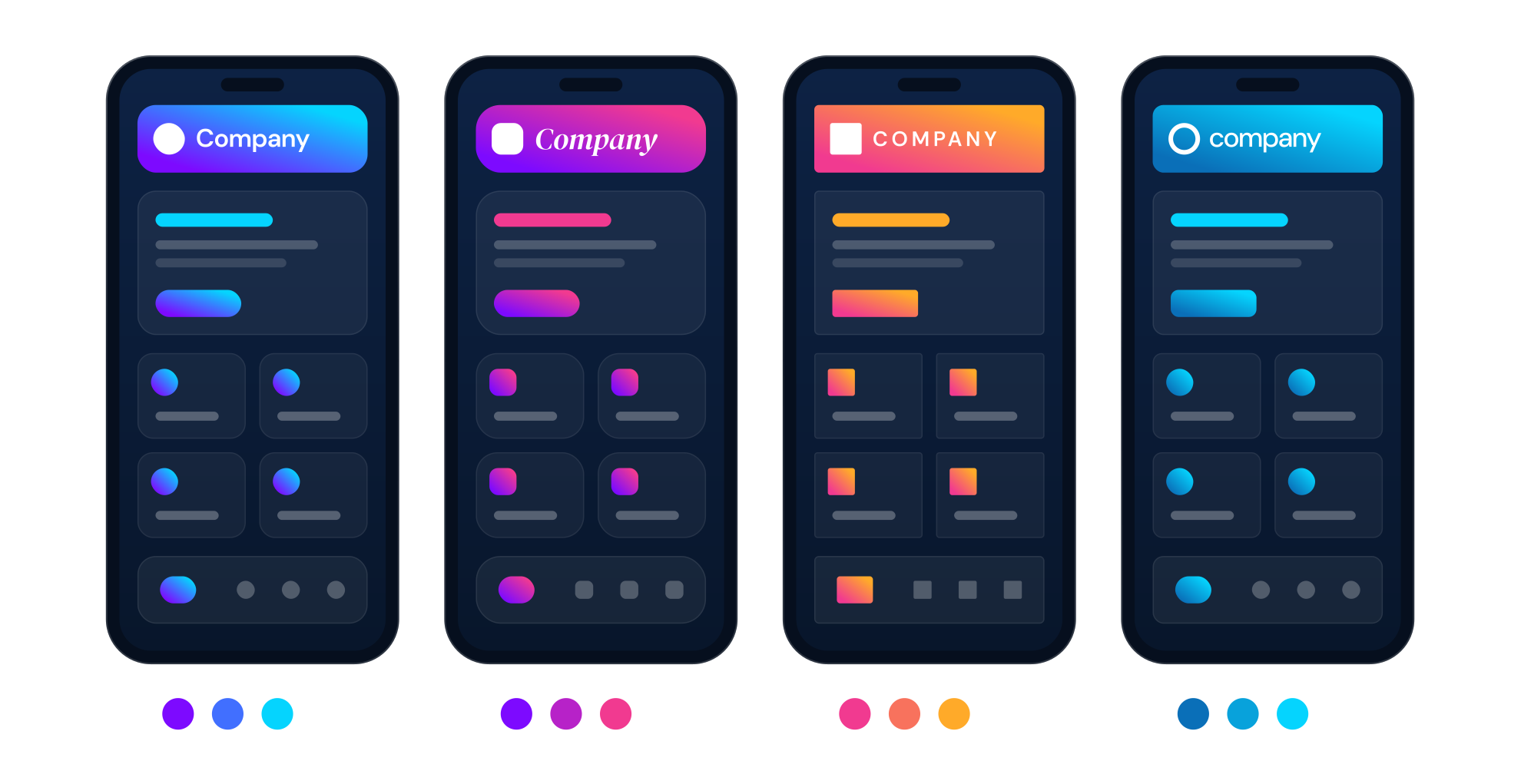
A white-label app is a single app you release under different brands, each with its own logo, colors and typeface. Think of a platform you offer to several clients, or a franchise where every location wants its own app. A design system is essential here: without fixed design tokens and components, you have to go through the entire app for every new brand.
With a design system, a new brand is a new set of design tokens. All brands run on one codebase, so every update reaches all of them at once. The same approach works for a dark mode or a high-contrast version for accessibility. With Flutter, Dutch Coding Company releases the same white-label app on both iOS and Android.
For a new product, a basic design system almost always pays off. Start with a foundation and extend it as your product grows. Our tooling and designers are set up for it, so that foundation is in place within a few days. Only for a clickable prototype or an internal tool with a handful of screens does even a basic design system cost more than it saves.
Does your product already have users? Then we build the design system step by step while we keep developing, starting with the components that come up most often. With every code review and every project we take over, we check whether a design system would pay off. If it does, we include it in our proposal. If it doesn't, we'll tell you that too.
Schedule a no-strings intro call, and we'll look together at whether a design system will move your product forward.